
Joining a network with just a URL
Using a URL and an identity provider
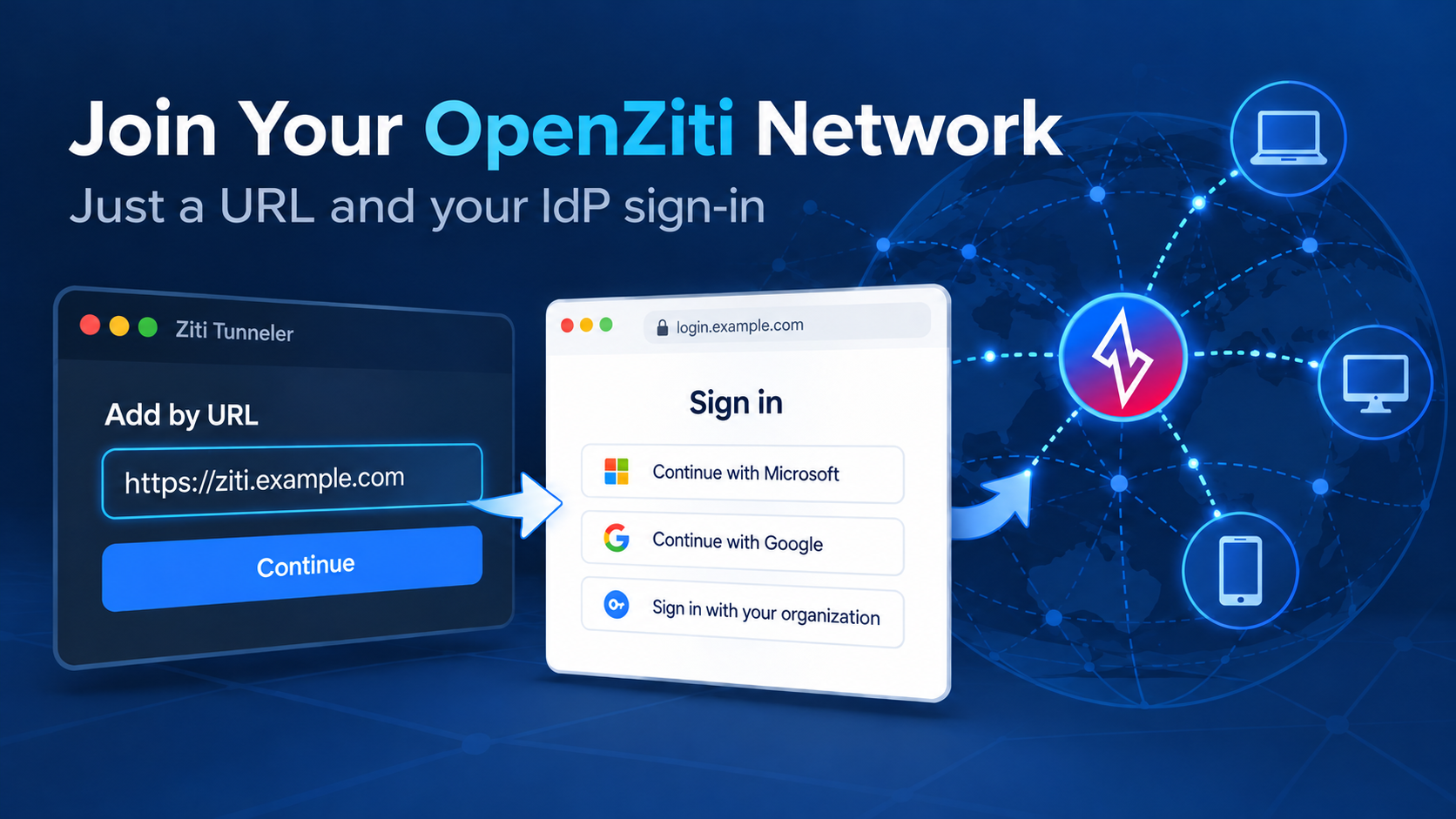
TL;DR: Users can join an OpenZiti network quicker than ever by using just a URL and an identity provider (IdP), with no enrollment JSON Web Token (JWT) to deliver. Also, since OpenZiti 2.0, the controller can create the identity at first sign-in automatically when configured to allow auto provisioning.
A URL and a sign-in
If you run an OpenZiti network and your users already log in to an identity provider, are you still enrolling them with JWTs? Since late 2024, OpenZiti has supported another way to enroll users in your overlay network: add by URL. Using add by URL, you can send users just the URL of your controller to join the overlay network, making it easier than ever to onboard interactive users.
Every new user enrolled with an OTT JWT starts as work for an administrator. The admin creates an identity, downloads its one-use JWT, and gets it to the user over email, chat, or a file share. The JWT is a secret until it's used, so that handoff has to be done safely. On top of that, each machine needs its own identity and its own JWT, so a user with three laptops means three identities and three handoffs. If the user gets a new device, the whole process repeats.
Using add by URL, the user copies and pastes the controller URL into their tunneler to start enrolling. To finish, they sign in to your IdP in the browser the tunneler opens. They don't have to dig up the JWT you sent, make sure it's the right one, and enroll with it. If their device already trusts your controller's certificate, all they need is a URL.
Add by URL works through an external JWT signer (ext-jwt-signer), which tells the controller to trust the tokens your IdP issues. OpenZiti 2.0 added another ease-of-use feature to the signer: creating the identity during that enrollment. In the Ziti Admin Console (ZAC), it's called Auto Enrollment (Auto-Enroll to Cert and Auto-Enroll to Token). In the API, it's enrollToCertEnabled and enrollToTokenEnabled. When either is on, administrators don't have to create identities ahead of time.
Bootstrapping trust
Andrew covered how trust gets bootstrapped with a JWT in his five-part series on bootstrapping trust. A JWT and a URL start from different places.
A JWT brings its own starting point. The controller signs the enrollment token with the same key behind its server certificate. The token also names the controller it came from. When the tunneler connects, it ignores every trust store on the machine. It checks one thing about the certificate it's shown, which is whether that key signed the token. If someone sits in the middle, their certificate fails that check and the enrollment stops. The tunneler downloads the controller's CA bundle only after that check passes, and from then on it trusts that bundle and nothing else. The JWT itself is signed and contains everything needed to bootstrap trust. By delivering it securely to the device, you act as the device's trust agent. That's why an OpenZiti controller can run on its own private PKI (public key infrastructure) that no browser has heard of.
A URL carries no trust of its own. With add by URL, the tunneler downloads the controller's network JWT from that URL. The network JWT is still signed by the controller's private PKI, and it isn't tied to one user the way an emailed enrollment JWT is. The IdP sign-in is what says who the user is. What's different is how the JWT gets to the device. The tunneler won't download it from a URL the operating system doesn't trust, so the OS trust store takes your place. That can be a public CA such as Let's Encrypt, or an enterprise CA your mobile device management (MDM) tool already put in the OS trust store. For a self-hosted OpenZiti deployment, this means the controller needs a certificate the devices can verify.
User sessions and device certificates
When the external JWT signer has both Auto-Enroll to Token and Auto-Enroll to Cert turned on, the tunneler asks the user to pick one of two ways to enroll:
| Enrollment Type | Authentication Mode | Description |
|---|---|---|
| User session | Token-based | Controller URLs and a certificate authority (CA) bundle, with no key or secret |
| Device certificate | Certificate-based | A private key and a certificate for this device |
The difference impacts the user's experience after enrolling once. User sessions are sessions where the user must authenticate to the IdP each time they need to (re-)authenticate with the OpenZiti overlay. User sessions are flexible and require user interaction each time the user's OpenZiti session expires. Device certificates are different from user sessions. Device certificates require the user to authenticate only one time to the IdP. During enrollment the tunneler will generate a strong identity on that machine only. This means that after enrolling once, the user can't re-enroll that same device or enroll to a device certificate on another machine without administrator intervention, which also invalidates the original enrollment. As of Oct 20, 2026, a feature request exists to allow enrolling on multiple devices.
The user's point of view
Users get two big wins from using an external JWT signer and add by URL with user sessions. First, joining the overlay becomes easy. The user just needs the URL and an IdP login to join. The second win is that the one URL works on any machine that trusts the controller's URL. This means if a user wants to participate on an overlay, they don't need to wait for the administrator to make them an identity. They can just add their identity by URL with a user session, and they can connect from as many devices as they need to. On a new laptop, a new phone, or a reinstalled OS, the user enters the same URL and signs in with the same login. And, as always, it's up to the IdP and the OpenZiti configuration to determine if the user is allowed to enroll. Users should generally choose "user session" when enrolling.
From a user's perspective, there is one small difference between user sessions and using a JWT. A user who enrolled with a JWT logs in with a certificate henceforth. They never have to sign in to an IdP again to access the overlay network. It's different for a user who logs in through an external JWT signer with a user session. If the user is offline long enough for the IdP session or the OpenZiti session to expire, they will need to sign in to the IdP again before the tunneler reconnects to the overlay. In practice this ends up being a small burden. The user needs to open the tunneler and complete the authentication process, but that should be a simple button click (Linux is a bit more complex as there's no UI).
The administrator's point of view
Administrators also get two big wins when using an external JWT signer and add by URL, particularly if the IdP being used has users configured in groups. Using auto enrollment, you can configure the external JWT signer to copy the token's groups claim into the new identity's role attributes. A service policy written against #engineering can then align with the IdP. If a new hire is in the engineering group before they first sign in, they can reach engineering services right away. The administrator doesn't have to provision an identity, map the external ID, etc.
Administrators enjoy the same but inverse benefit as users with respect to multiple devices. When a user adds another device, administrators don't need to be bothered as they've already established the trust between the IdP and the OpenZiti overlay.
Add by URL demo
This five-minute video shows add by URL from start to finish. The overlay starts with no user identities and three services: an engineering wiki for #engineering, an HR portal for #hr, and a finance ledger for #finance. Alice, who is in the engineering group in the IdP, joins from Windows with a user session. The controller creates her identity at sign-in with the engineering role attribute, so she can reach the wiki but not the HR portal. Bob, who is in the hr group, joins the same way from macOS and gets the HR portal and nothing else:
https://www.youtube.com/watch?v=RhBolYYlFgo
Set it up
If you are interested in trying out auto enrollment and add by URL, a step-by-step lab has been added to the doc site here: Add by URL how-to. It covers the controller's public certificate, the external JWT signer, group-based policies, and joining from each tunneler. Start with one user and a user session: send them the URL and see how easy joining has become.
Read on
- Andrew's Bootstrapping Trust series, for why the URL has to be trusted
- Ziti TV, October 23, 2026: See the demo live, from DNS to Keycloak to four users joining
- Long for guide on add-by-url
- External JWT signers
- Adding an identity with an external provider on Windows
Share the Project

If you find this interesting, please consider starring us on GitHub. It really does help to support the project! And if you haven't seen it yet, check out zrok.io. It's totally free sharing platform built on OpenZiti! It uses the OpenZiti Go SDK since it's a ziti-native application. It's also all open source too!
Tell us how you're using OpenZiti on X twitter, reddit, or over at our Discourse. Or you prefer, check out our content on YouTube if that's more your speed. Regardless of how, we'd love to hear from you.
Comments
Join the discussionNo comments yet. Be the first to comment.


