Today we celebrate the initial release of zrok v0.4.0. This new release of zrok introduces important new features and provides a stronger more extensible foundation for future growth.
If you're just tuning in now and want to learn more about zrok, visit the website at https://zrok.io/ for an overview and https://docs.zrok.io/ for details.
zrok has been out for a couple of months in a private beta capacity. Since then we've added a handful of important new features and capabilities. Here are some of the more important new features:
TCP and UDP Tunnels
In addition to HTTP-based resources, zrok now allows users to share local TCP and UDP tunnels.
The TCP and UDP tunnels work very similarly. Here's how you can use the tcpTunnel backend in v0.4.0:
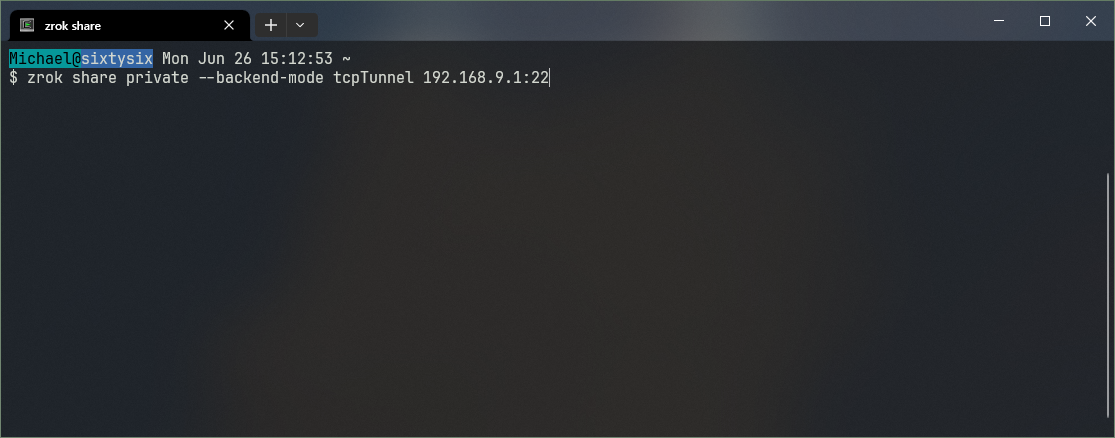
We'll use the tcpTunnel backend mode with our private share. The target is the <host>:<port> destination for the tunnel.
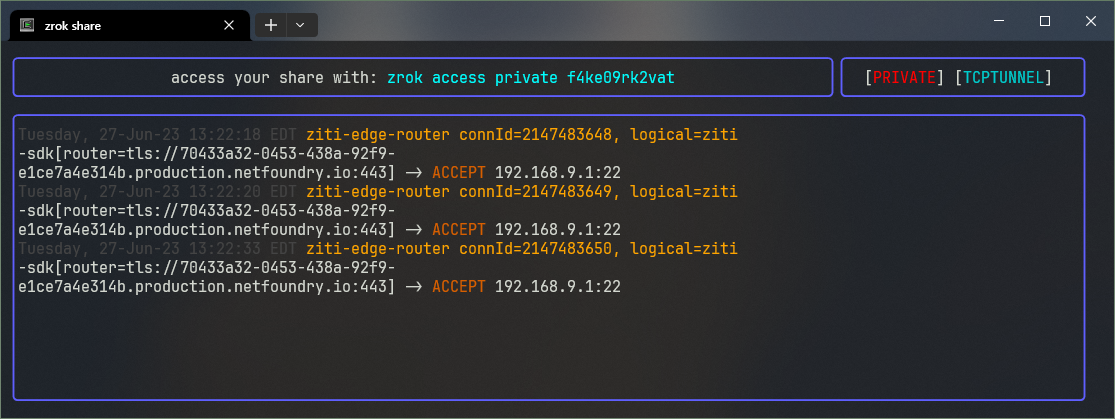
Running that launches our zrok share client, and gives us the share token and the full command to give to remote users to access our TCP tunnel.
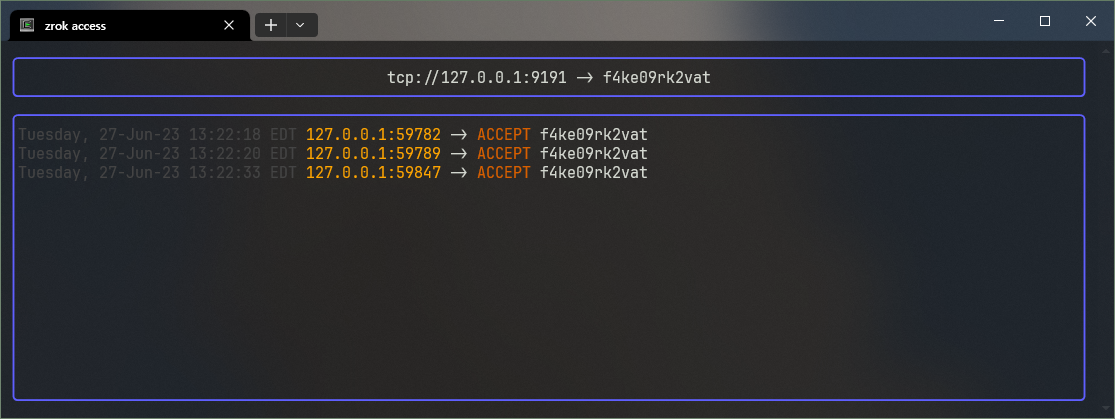
Our remote user runs the zrok access private f4ke09rk2vat command to access the tunnel, creating a local listener on their system at 127.0.0.1:9191, which allows them to access our remote TCP resource.
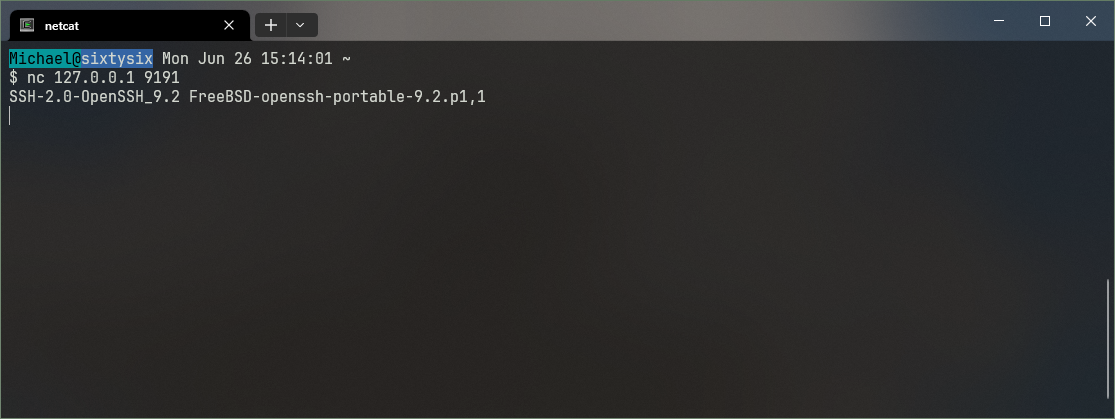
The remote user can use regular networking tools like netcat to access the tunnel locally on their system. In this case, we see the announcement from the SSH listener on the other end of the tunnel.
Refreshed Web Console
zrok v0.4.0 includes significant updates to the web console.
The updates include:
a new side-by-side layout with an updated look and feel
new more comprehensive activity indicators, which show both receive and transmission detail, including environment-level activity
an updated network visualizer, which now includes
zrok accessdetails and shows relationships betweenzrok share privateandzrok accessbridges owned by the same accountnew metrics visualizations show historical telemetry for the last 30 days, 7 days, and 24 hours; telemetry is available at the account, environment, and share levels
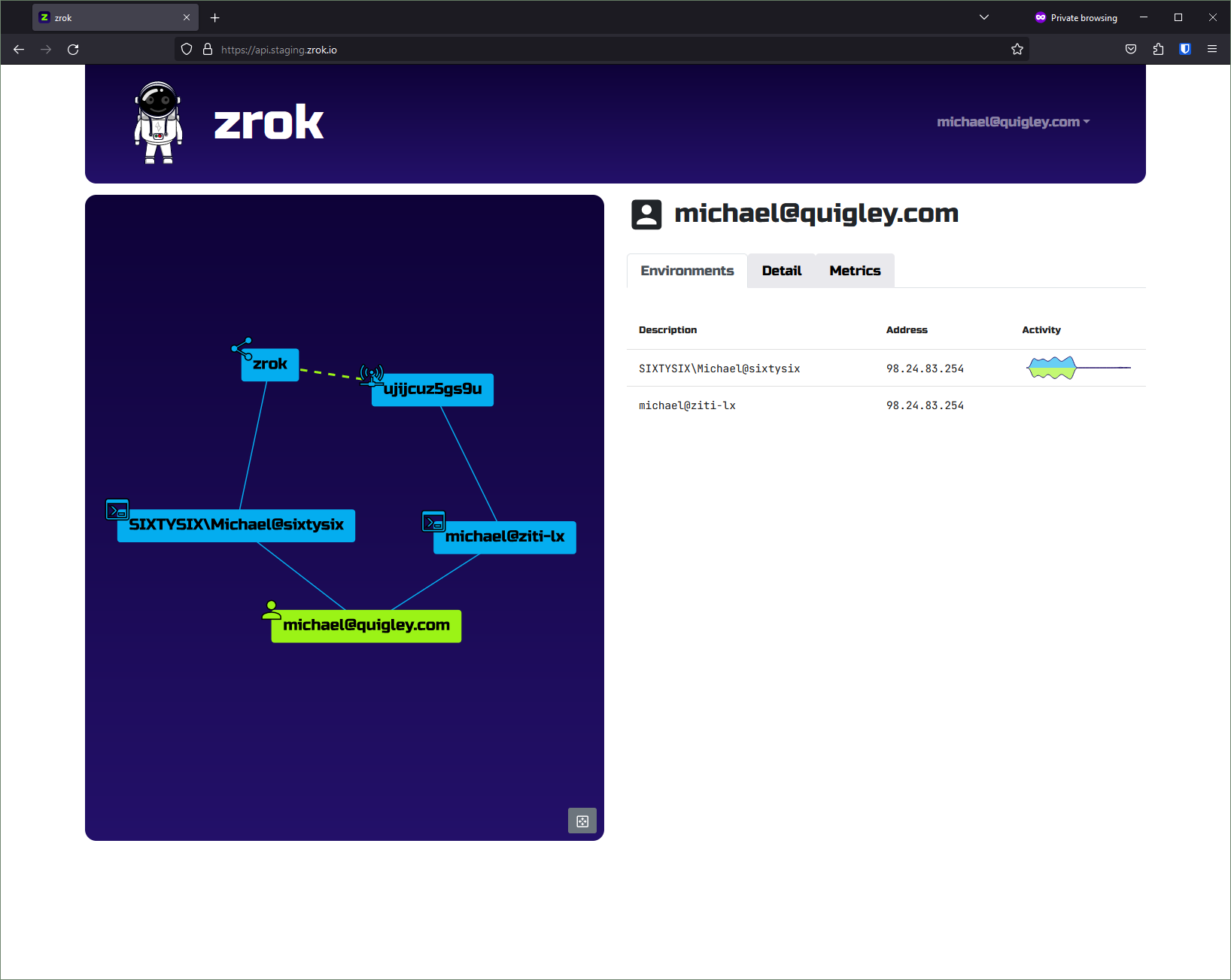
In the screenshot above, a dashed green line shows a connection between a zrok share private and a zrok access.
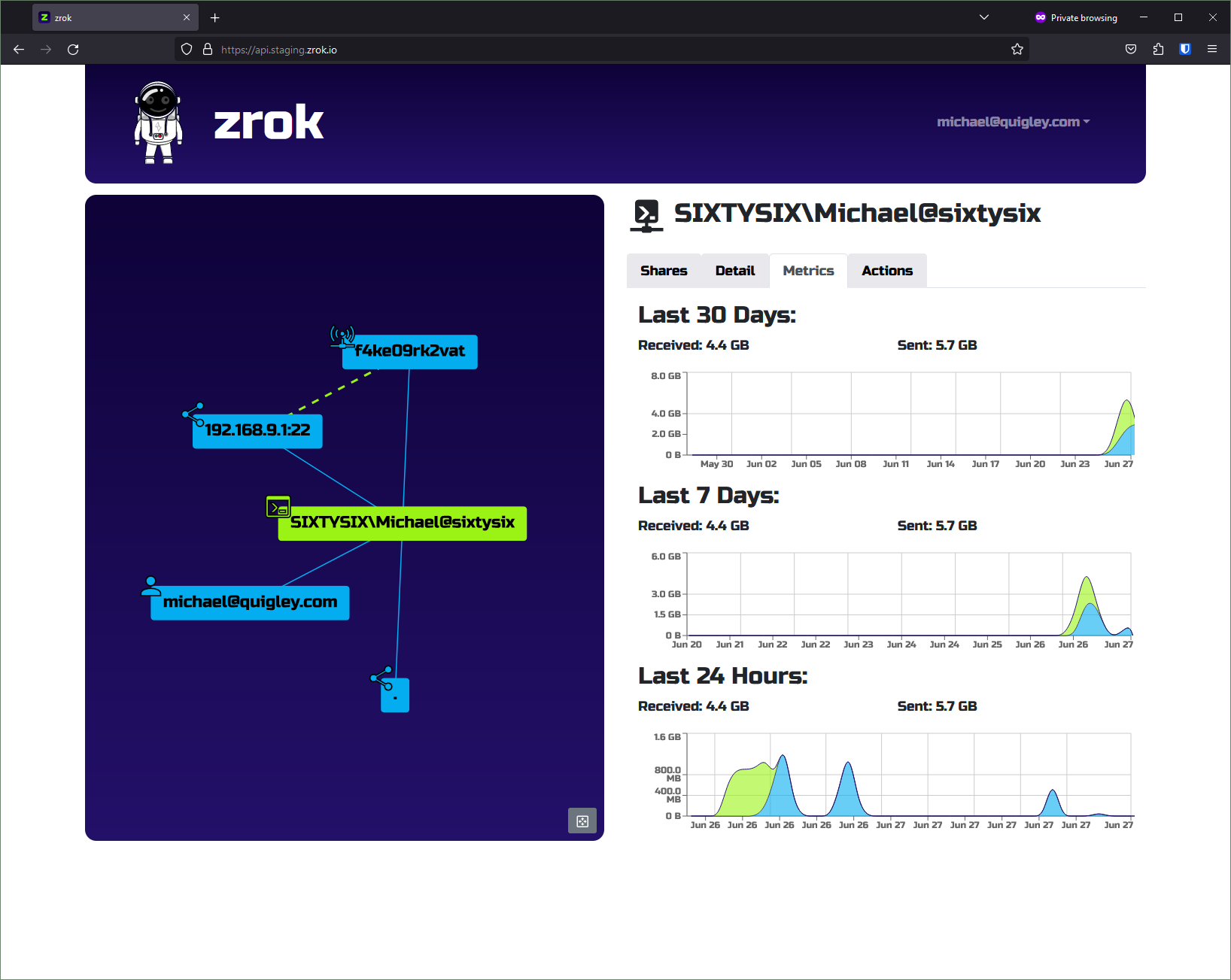
v0.4.0 includes refreshed metrics views. These capabilities will continue to grow as zrok matures.
New Metrics and Limits Infrastructure
The metrics infrastructure has been completely revamped for v0.4.0. Metrics information now comes directly from the underlying OpenZiti network. Metrics details are now available for all share types and privacy modes.
Metrics processing is scalable to work for the smallest self-hosting environments, all the way up to massive multi-user installations. Small installations can use a single zrok controller to receive metrics from OpenZiti directly. Large installations can use horizontally scalable message queuing over AMQP to distribute the metrics workload across a cluster of zrok controller instances.
v0.4.0 also includes a new limits facility providing configurable transfer quotas. If you're running your own self-hosted zrok service instance, you can configure quotas for transmit and receive volume at the account, environment, and share levels.
Updated Documentation
The docs.zrok.io website has been refreshed with expanded and revised concept guides and details about the new sharing modes.
Future v0.4.x releases will continue to expand to include documentation for the growing zrok web console.
Ready for use!
The official v0.4.0 release is available on GitHub at https://github.com/openziti/zrok/releases/tag/v0.4.0.
The production service instance at zrok.io will be updated to v0.4.0 on Wednesday, June 28th. If you use our hosted instance, be sure to update your local zrok client to the latest release. If you're running an out-of-date zrok client, you will receive an error message like this when you try to access a newer service instance:
[ERROR]: unable to create zrok client (expected a 'v0.3' version, received: 'v0.4.0-rc9 [ebfb039]')
You can replace your current zrok binary with a newer version and continue to use your existing zrok account, environments, and shares.
In addition to the usual Github releases and docker images, zrok v0.4.0 is now available through Homebrew:
% brew install zrok
...
% zrok version
               _
 _____ __ ___ | | __
|_  / '__/ _ \| |/ /
 / /| | | (_) |   <
/___|_|  \___/|_|\_\

0.4.0 [brew]
Private Beta
We intend to continue offering zrok hosting through zrok.io as a private beta for a short while. After a few weeks, we'll be opening zrok.io up to the public.
In the meantime, if you'd like to request an invitation to the private beta you can reach out to invite@zrok.io.
What's Next?
We've got some additional exciting developments in the wings that we'll be revealing soon. The zrok "drives" capability is continuing to evolve, and we're also sketching out new facilities that will allow you to extend zrok with your own custom applications and integrations. The proxy backend modes are growing to include advanced capabilities for load-balancing and intelligent service routing.
Stay tuned!
Comments
Join the discussionI try to get invitation by command 'zrok invite' and get error: " unable to run interface (prepare console: set console mode: The parameter is incorrect.)" Env: WinServer2008.
Is it possible that you can try on a Windows system other than Windows Server 2008?
In the meantime, we'll try and see if we can reproduce the issue.
Tracking the issue here: https://github.com/openziti/zrok/issues/370
Michael Quigley Yes, I tried it in Windows10. Everything works without errors. It seems to me that the problem is in the version of cmd.exe.
The metric views are sweet. 👌🏾
zrok
This series covers all things zrok. What it is, where it's going, how to use it, anything and everything zrok-related!